 Web Authoring
Programming
WeBuilder 2025 Team License Description
WeBuilder 2025 Team License

Author Company: Blumentals Solutions SIA
WeBuilder 2025 Team License is a fast, intelligent and powerful all-in-one code editor for web developers. ... ...
File Size:
OS:
License: - Time Limit, free to try, to buy.
File Size:
OS:
License: - Time Limit, free to try, to buy.


WeBuilder 2025 Team License
Create and edit web page code faster and easier

Smart code editor for web developers.
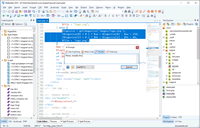
WeBuilder is a fast, intelligent and powerful all-in-one code editor for web developers. Clean interface, quick startup, superb flexibility and powerful features make creating and managing HTML, CSS, JavaScript, PHP, Ruby, Python, ASP, SSI and Perl code an easier task, while integrated tools let you validate, format, reuse, navigate and deploy your code quickly and efficiently.
-
Super quick
Loads much faster than any other code editor or IDE with similar features -
Powerful syntax highlighting Updated!
Supports HTML, CSS, JavaScript, PHP, XML, ASP, ASP.Net, C#.Net, Perl, Python, Ruby, SQL, Apache and more -
Code intelligence Updated!
Tons of intelligent code completion, navigation and suggestion features -
Smart code re-use
Code snippet library and code templates with assignable shortcuts
-
Built-in AI assistant Updated!
Generate, modify and optimize code automatically, solve coding challenges * -
Direct FTP/SFTP/FTPS Updated!
Edit directly on your web server or publish local development copy updates with a single click -
Smart code re-use
Code snippet library and code templates with assignable shortcuts -
Integrated validation & debugging
Spell checker, W3 HTML and CSS validator, JSLint JavaScript checker, realtime PHP checker, xDebug PHP debugger
-
Fully-packed HTML & CSS editor
HTML & CSS editor with auto complete, inspector, code assistants and more -
Advanced search and replace
Goto anything, quick search, detailed search, file search, regular expressions, detailed results and more -
Fully-packed JavaScript editor
JavaScript code editor with auto complete, language tools and more -
Fully-packed PHP editor
PHP editor with auto complete, syntax check, debugger, beautifier and more
Why switch today?
-
Save a lot of time
WeBuilder combines speed of a simple code editor and power of a full-size IDE allowing you to work much faster. -
Switching is easy
Interface and behavior is consistent with other code editors. All essential features are right where they should be. -
Fully customizable
You can adjust text editor, menus, toolbars, shortcut keys and everything else to fit your needs perfectly. -
True all-in-one editor
Create, edit and validate HTML, CSS, JavaScript, PHP, ASP, Ruby within a single program!
How is WeBuilder better?
-
Faster startup
Unlike with other web development IDEs, you do not have to wait while it loads. -
No clutter
WeBuilder is quick, clean and lightweight. It very powerful, yet not stuffed with useless buttons or panels. -
Attention to detail
WeBuilder features are carefully crafted with speed and productivity in mind. -
Superb FTP/SFTP/FTPS features
Upload/update your online website files in a just few clicks. -
A lot of integrated tools
Syntax checkers, validators, debuggers, beautifiers, HTML Tidy, CSS prefixizer etc.
Powerful AI features *
AI-powered assistant can help you generate, modify and optimize code automatically, as well as find answers and solve coding challenges right within the comfort of your code editor.
Beginners also welcome!
WeBuilder is very easy to learn and use. It works like a simple text editor, but offers a lot of helpful features such as HTML and CSS wizards and instant code-snippets. WeBuilder actually helps you learn web coding and make less mistakes.
Text editor
- Syntax highlighting
HTML, CSS, JavaScript, VBScript, PHP, ASP, ASP.Net, Python, XML, WML, C#.Net, Ruby, eRuby, Perl, SQL, Apache, SASS, LESS - Advanced text editor
Line numbering, gutter, margin, word wrap, block select and more - Unicode support
UTF-8, UTF-8 without BOM, UTF-16 - Code minimap
- Code folding
- Line highlighting
- Split editing
- Macro recorder
Search & navigate
- Go to anything
Instantly jump to any file, symbol, word or line - Multi-highlighting
All instances of the selected text are highlighted - Search and replace
Quick search, detailed search, regular expressions, detailed results and more - Search and replace in files
- Superb navigation
Advanced bookmarks and quick jumps between recent places - Bracket highlighting
- HTML tag highlighting
Easily detect matching and missing tags
Preview
- Built-in preview
Chrome and IE rendering, split-screen mode, screen-size testing - XRay for HTML/CSS
- One-click preview in web browser
- Preview via web server
external or built-in
User interface
- Flexible tab-based interface
Draggable and dockable tabs, multi-monitor support - Quick interface switching
Hide/show all side panels with a single key - Detailed customization
Workspace layout, keyboard shortcuts, text editor behavior, toolbars and menus etc.
Plugin support
- Add your own features by writing plugins
plugins can be written in JScript and can utilize powerful Chromium engine - Plugin catalog
Language tools
- Code intelligence
HTML, CSS, JavaScript, PHP, Ruby, Smarty - Code explorer/navigator
HTML, CSS, JavaScript, PHP, Ruby - Integration with online reference
HTML, CSS, JavaScript, PHP
HTML and CSS
- HTML and CSS inspector
- HTML assistants
- HTML tag auto-close
- CSS assistants
box editor, gradient editor, shadow editor - Inline-CSS-Farbvorschau
- Inline color preview in CSS
- Support for mobile development
viewport assistant, CSS media queries - Support for Google fonts
- HTML and CSS code beautifier
- CSS prefixizer
- CSS minifier
- SASS and LESS support
- Integration with W3 validators
HTML and CSS - Integration with CSS HTML Validator
- Integration with HTML Tidy for HTML5
- Framework support
Bootstrap 3, Bootstrap 4, Bootstrap 5
JavaScript
- JavaScript framework support
jQuery, React, Vue.js - JavaScript code beautifier
- JavaScript code minifier
- Integration with JSHint
PHP
- Realtime PHP syntax checker
- PHP debugger (xDebug)
Built-in web server and zero-configuration package available - PHP framework support
Laravel, CodeIgniter, Symfony, Yii, Nette, Prado, CakePHP, WordPress - Smarty support
with code intelligence - PHP code beautifier
- PHP 8 ready
Other languages
- Python support
syntax highlighting, comments - Apache .htaccess file support
Apache syntax highlighting
AI-powered assistance *
- Integrated AI-Chat / AI assistant
Claude Sonnet, OpenAI GPT, DeepSeek and others - Automatically write, modify, validate code
- AI-prompt history & library
- Quick, one-click commands
Check, Explain, Simplify, Add Comments - AI chat history
Save and review previous conversations - Project-wide AI tools
AI can work with all project files, not just individual code fragments
File management
- Built-in file explorer
- Edit/save directly on FTP/SFTP/FTPS server or quickly publish all changed files
- Built-in FTP/SFTP/FTPS browser
- Project management
Maintain separate projects, search within project, publish changes with a single click - SVN and Git integration
with TortoiseSVN and TortoiseGit - One-click HTML publishing
Publish HTML file and all linked files (images, css, js) get uploaded too
Keystroke savers
- Auto brackets
- Auto quotes
- Smart Copy and Cut
If nothing is selected, word at cursor is cut/copied (usual shortcuts) - Smart Paste
If nothing is selected, word at cursor is replaced (default shortcut Shift+Ctrl+V) - Emmet plugin
Other
- HTML color picker
Pick-from-screen feature, file colors, project colors, color palettes, lightness adjustment, rgb/rgba/hsl/hsla support - Inline ToDo
with TODO, FIXME and CHANGED markers - Multi-item clipboard
- Code snippet library
Code templates, assignable shortcuts - Quick SQL explorer
MySQL, PostgreSQL, Firebird, SQLite etc. - Portable mode
Run from USB stick - Easy settings import/export
- Crash recovery system
- Diff tool integration
- Operating System : .
- Processor/RAM : Basic standard system specs are sufficient. Runs efficiently on standard integrated office computers.
- Storage : Requires a small amount of disk space (approx. 100 MB for the core installation files, though more is recommended for project caching).
- Peripherals : Integrated keyboard and mouse.
More Products from company Blumentals Solutions SIA :
Check for all products list from Blumentals Solutions SIA ...
Check for all products list from Blumentals Solutions SIA ...